Upload any APK, get a running UI clone
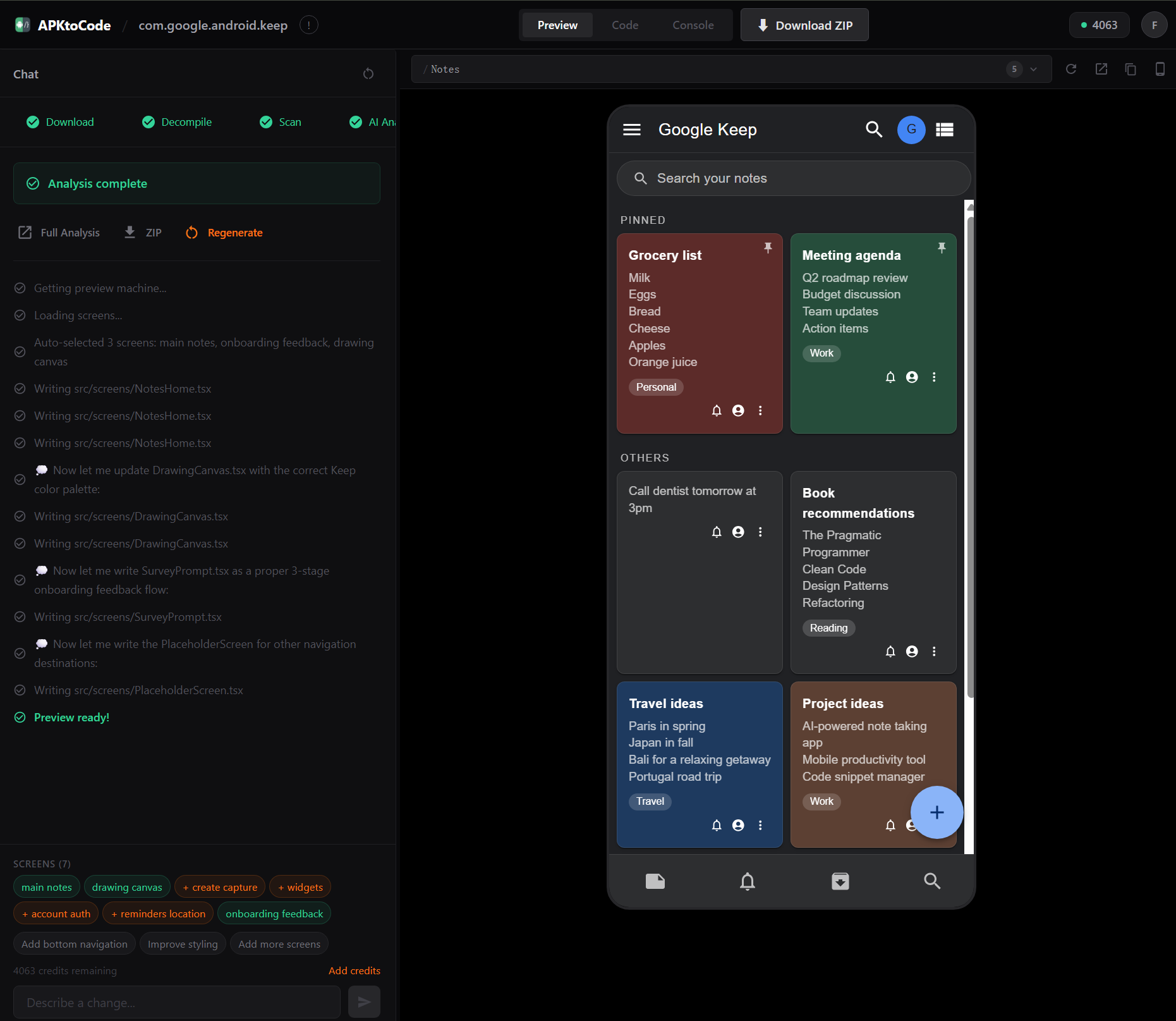
Pick any Android app. We decompile it, AI reads every class, and you get docs + UI starter code. Then tell Cursor, Claude Code, or Copilot to add the logic.
No more staring at a blank editor. Start from a real app's blueprint, not from zero.
5
Architecture docs
7+
UI starter screens
<5min
To a running project
What you get
A complete project your AI can run with
Real output from analyzing Signal Android. Click any file to preview.
5 architecture docs + UI starter code. Open the folder, tell your AI “Read CONTINUE.md” — it knows what to build.
# Signal — Comprehensive Features Document
## 1. Core Features
Signal is a privacy-focused, end-to-end encrypted messaging application for Android. Its primary purpose is to provide secure communication through text messaging, voice calls, video calls, group chats, and media sharing. The app is built around the Signal Protocol (via 'org.signal.libsignal') and emphasizes metadata protection through features like sealed sender delivery. Signal also integrates MobileCoin cryptocurrency for in-app payments and offers robust backup/restore capabilities.
**Package:** 'org.thoughtcrime.securesms'
**Business code files:** 10,086
**Key libraries:** Signal Protocol ('org.signal.libsignal'), Signal Service ('org.whispersystems.signalservice'), MobileCoin ('com.mobilecoin.lib'), Wire Protobuf ('com.squareup.wire'), RxJava3, Jetpack Compose (Material3), Glide image loading
---
## 2. Feature Categories
### 2.1 Registration & Account Management
**Registration Flow** ('RegistrationActivity')
- Phone number-based registration with country code selection (navigation route: 'country_code_result')
- CAPTCHA verification via 'https://signalcaptchas.org/registration/generate.html' and 'https://signalcaptchas.org/challenge/generate.html'
- Signal PIN creation and management
- Registration lock protection: *"Require your Signal PIN to register your phone number with Signal again"* ('AccountSettingsFragment__require_your_signal_pin')
- PIN reminder frequency: *"You'll be asked less frequently over time"* ('AccountSettingsFragment__youll_be_asked_less_frequently')
**Account Lock** ('AccountLockedFragment')
- UI Text: *"Account locked"*
- Description: *"Your account has been locked to protect your privacy and security. After %1d days of inactivity in your account you'll be able to re-register this phone number without needing your PIN. All content will be deleted."*
- Learn More link: 'https://support.signal.org/hc/articles/360007059792'
**PIN Restore** ('PinRestoreActivity')
- Restore account data using Signal PIN after re-registration
**Account Settings** ('AccountSettingsFragment')
- Label: *"Account"*
- Change phone number: *"Change phone number"*
- Request account data: *"Your account data"*
**Advanced PIN Settings** ('AdvancedPinSettingsFragment')
- Recovery key rotation: *"You must create and record a new recovery key before you can disable your PIN."*
- Dialog: *"Create a new recovery key"* with action *"Create key"*
---
### 2.2 Encrypted Messaging
**Conversation Features**
- End-to-end encrypted one-on-one messaging
- Group messaging with Signal groups (V2) and legacy MMS groups
- MMS group warning: *"You've selected a contact that doesn't support Signal groups, so this group will be MMS. Custom MMS group names and photos will only be visible to you."*
- MMS removal notice: *"Support for MMS groups will be removed soon to focus on encrypted messaging."*
- Message pinning with duration options: **24 hours**, **7 days**, **30 days**, **Forever** (from 'ConversationFragment__pinned_for_labels')
- Disappearing messages with configurable timers: **Off**, **4 weeks**, **1 week**, **1 day**, **8 hours**, **1 hour**, **5 minutes**, **30 seconds** (from 'ExpireTimerSettingsFragment__labels')
- Custom timer units: **Seconds**, **Minutes**, **Hours**, **Days**, **Weeks** (from 'CustomExpireTimerSelectorView__unit_labels')
- Message font size options: **Small** (14), **Normal** (16), **Large** (22), **Extra Large** (28)
- Conversation length limits: 0, 5000, 1000, 500, 100
**Sealed Sender**
- Metadata-protected message delivery
- Status icon toggle: *"Show an icon in message details when they were delivered using sealed sender."* ('AdvancedPrivacySettingsFragment__show_status_icon')
- Info link: 'https://signal.org/blog/sealed-sender'
**Message Requests**
- Pending message request system: *"Pending message request"* ('AboutSheet__pending_message_request')
- Review warning: *"Review requests carefully"* ('AboutSheet__review_requests_carefully')
- Profile name disclaimer: *"Profile names are not verified"* ('AboutSheet__profile_names_are_not_verified')
---
### 2.3 Group Management
**Group Creation** ('AddGroupDetailsFragment')
- Button: *"Create"*
- Header: *"Create group"*
- Group name field: *"Group name (optional)"* / *"Group name (required)"*
- Prompt: *"Name this group"*
- Post-creation: *"You can add or invite friends after creating this group."*
- Member removal: *"Remove %1s from this group?"*
- Required field validation: *"This field is required."*
- Error state: *"Group creation failed."* / *"Try again later."*
**Group Member Management** ('AddMembersActivity')
- Add members: *"Add members"*
- Confirmation: *"Add "%1s" to "%2s"?"*
- Legacy group restriction: *"This person can't be added to legacy groups."*
**Add to Group** ('AddToGroupActivity')
- Label: *"Add to a group"* / *"Add to groups"*
- Confirmation: *"Add "%1s" to "%2s"?"*
- Success: *""%1s" added to "%2s"."*
- Search functionality
**Group Permissions** (from 'PermissionsSettingsFragment__editor_labels' and 'GroupManagement' arrays)
- Edit group info: **Only admins** / **All members**
- Edit group membership: **Only admins** / **All members**
---
### 2.4 Voice & Video Calling
**VoIP Infrastructure**
- Production SFU (Selective Forwarding Unit): 'https://sfu.voip.signal.org'
... (504 lines total — showing first 100 lines)Real output from analyzing Signal Android with APKtoCode
How it works
Four steps. APK to running project.
Upload
Drop your .apk file or paste a Google Play URL.
AI Analysis
jadx + apktool decompile. Claude reads every class, screen, and API call.
Download ZIP
5 Markdown docs + UI starter pack + CONTINUE.md instruction file.
Vibe Code
Open the folder in Cursor / Claude Code / Copilot. Tell your AI: "Read CONTINUE.md and start working."
Copy this to your AI coding tool:
Who is this for
You vibe code. We give you the starting point.
Stop starting from a blank editor. Clone any app's UI and architecture, then let your AI build on top of it.
Vibe Coders
This is for youYou describe what you want. AI writes the code. But starting from zero means hallucinated APIs, generic patterns, and hours of back-and-forth.
Upload a similar app's APK. Get a real blueprint + UI starter code. Open it in Cursor or Claude Code — your AI knows exactly what to build.
Indie Developers
Save daysBuilding a competitor? Get the full architecture in 5 minutes instead of days of reading decompiled Java.
Security Researchers
Deep auditEvery API endpoint, permission, database schema, and third-party SDK — structured and searchable.
Students & Learners
Learn fasterLearn how top apps are built with clean, readable architecture docs — like a senior engineer explaining it.
Pricing
Pay with credits. No subscription.
$0.10 per credit. No subscription.
Ready to clone any app?
Upload your first APK free. No credit card required.
Get Started →